 Supermail
Two safety nets before an email leaves
· Mac and iPhone
Everyone has sent an email too soon. Supermail gives you two ways to catch it, on the Mac and on iPhone.
Undo Send, on your timer
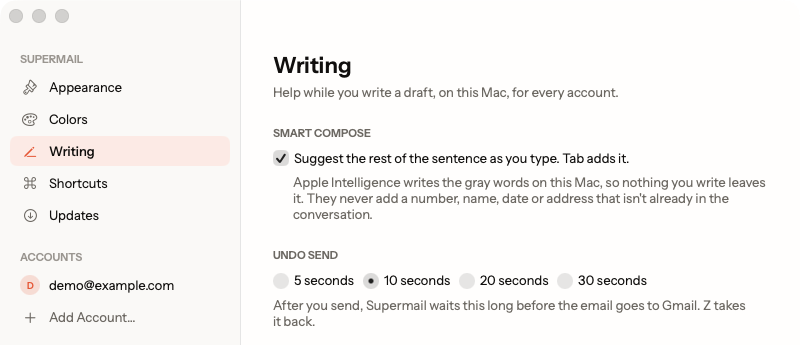
When you press Send, Supermail holds the email on your device before it goes to Gmail. Press Z on the Mac, or tap Undo on iPhone, and it comes back as a draft, ready to fix.
Settings → Writing sets how long it waits: 5, 10, 20 or 30 seconds, the same choices Gmail gives you. The Mac starts at 10 seconds and iPhone at 5. Your pick follows you to your other Macs and your iPhone.
The forgotten-attachment check
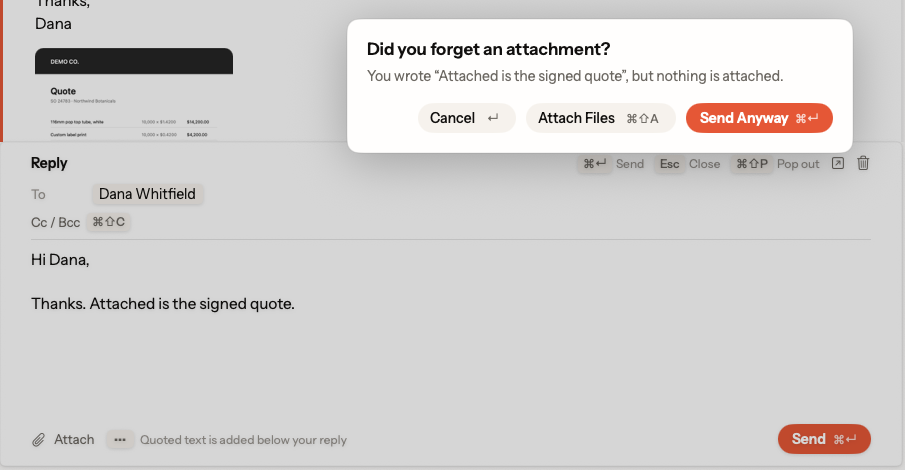
Write "attached is the invoice" or "see attached", forget the file, and Supermail stops you before anything goes out:
Did you forget an attachment? You wrote "Attached is the signed quote", but nothing is attached.
On the Mac, Return takes you back to the draft, ⌘⇧A attaches files and ⌘↩ sends it anyway. On iPhone, the same question offers Attach Photo, Attach File, Send Anyway and Cancel.
It only reads what you typed in this draft. "I've attached the invoice" in the email you're answering never sets it off, and neither does your signature. The check runs on your device, so your draft goes nowhere new.
Don't want it? Settings → Writing → Attachment check turns it off.
Supermail is invite-only for now.
Request access